

More posts won’t fix slow nights; better tracking will. The right influencer crm and creator database gives you control over who you invite, what they post, and what it drives. Here’s the answer up front: pick a tool that organizes creator relationships like a dining room chart, bakes in content approvals, and shows you which posts put actual guests in seats. Then run small, fast tests and scale what works.
As your restaurant heads into 2026, you don’t need more apps. You need a simple way to see which creators match your diners, plus proof that their content turns into covers and orders. I’ll coach you through that, step by step, so you can get live this week without adding hours to your already full plate.
If you want a deeper buyer’s lens after this, bookmark this practical explainer: how to choose the best influencer CRM and database (2026 guide).
What an Influencer CRM Actually Does for a Restaurant
Think of an influencer CRM as your front-of-house binder for creators. It stores who they are, what they like to shoot, what you agreed to, and how each visit performed. A generic CRM tracks customers. An influencer system tracks creators and campaigns tied to your menu, media, and foot traffic. That difference matters because creators are partners, not leads.
Specifically, you’ll log every comped meal, discount code, and asset due date. You’ll see who delivered on time, who needed edits, and who gave you the best reach-to-visit ratio. As a result, you can swap guesswork for proof and plan your next tasting with confidence.
Moreover, you should connect posts to on-site results. A good platform lets you attach UTM links to content and tag reservations by creator. For paid deals, it will also store contracts, usage rights, and W-9/1099 details in one place so you’re not chasing files during service.
How it differs from a generic CRM
A classic CRM helps you email fans and track spend. An influencer system tracks content delivery, post metrics, and the cost of each creator visit. It links the comped meal to the final reel and your bookings that week. Therefore, it answers a far more urgent question for an owner: which creator actually moved tables?
For basic tracking, start with UTM parameters on every link and match them to reservations or online orders. If you need a refresher, skim Google’s URL builder guide and use a distinct utm_content value per creator. Then, tie those codes back to the “creator” field in your CRM. Do this, and your next season’s invites will be data-led, not vibes-led.
Finally, a restaurant-ready system should make approvals simple. You set the brief (two Stories, one Reel, one dish focus), creators submit drafts, and you green-light or request changes. Fast, clear approvals protect your brand voice while keeping the process easy for time-strapped teams.
Step-by-Step: Setting Up an Influencer CRM for Your Restaurant
You can stand this up in a week with focused, one-hour blocks. Here’s the seven-step plan I use with clients.
1. Pull every creator you’ve hosted into one sheet. Note handles, email, city, last visit, cost, and results. Add what they shot and how the dining room looked after the post.
2. Decide on three formats: tastings for menu R&D, grand openings or pop-ups, and seasonal pushes (e.g., summer patio). Match each with a simple brief and deliverables.
3. Group by cuisine fit (BBQ, vegan, brunch), local vs. traveler, and content style (reels, long-form, photo carousels). Then add tiers by engagement, not just follower count.
4. Create unique UTM links per creator and a “creator” field in your reservation notes. For dine-in, train your host to tag visits. For delivery, use a code by creator in your POS.
5. Write short, friendly emails and DMs for each campaign type. Save variants for “invite,” “confirm,” and “thanks,” so you can move fast.
6. Map who reviews drafts and in what order. Include asset specs, brand terms, and must-mention dishes. Keep response times under 24 hours to avoid delays.
7. Track cost per post, reach, saves, link clicks, and most key: reservations and orders within 3–7 days. Rank creators by cost-per-guest and cost-per-order.
Speed it up with built-in features
- Ready-made templates help you launch in minutes, not days.
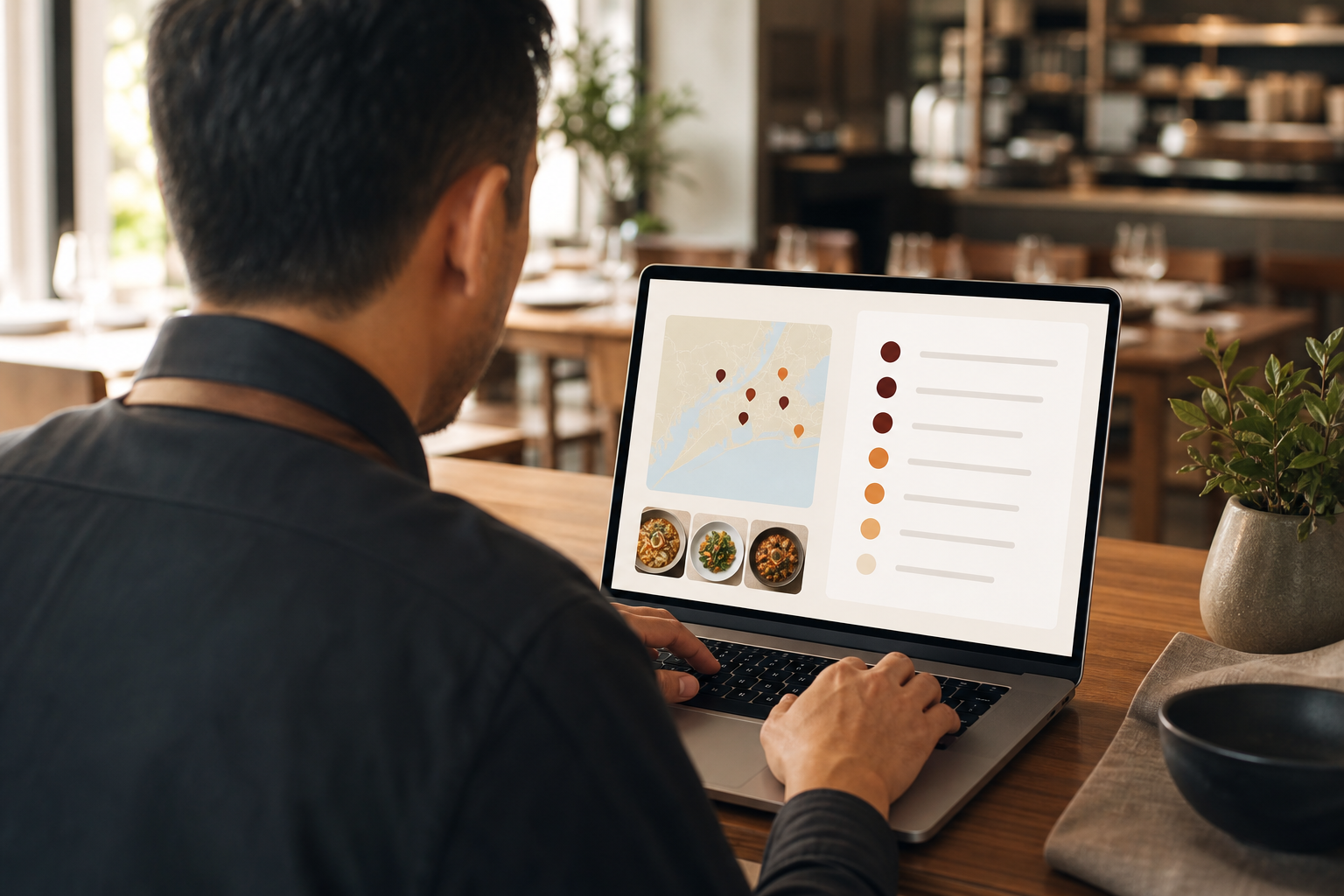
- Strong search lets you filter and connect with creators by niche, region, and engagement.
- Workflows, contracts, and approvals handled inside the platform reduce back-and-forth.
For a deeper buyer’s checklist on filters and workflows, cross-reference this piece: Best Influencer CRM for E-Commerce Brands in 2026. While it’s written for retail, the evaluation lens maps well to restaurants in 2026.
5 Mistakes Restaurants Make with Influencer Management
First, using spreadsheets instead of a real CRM. Sheets break the moment you juggle 20 creators, multiple briefs, and staggered visit dates. You lose who owes what and which code ties to which post. A purpose-built system stores drafts, links, and status in one view.
Second, inviting creators with the wrong audience. If your diner base is local families, a travel vlogger whose followers live three time zones away won’t drive bookings. Therefore, segment by city and age, not just by big follower counts.
Third, skipping content usage rights in agreements. Without clear rights, you can’t run that great reel as a paid ad next month. Built-in contracts, automated payouts, and tax form management save you from email threads and missing W-9s. In addition, clear rights protect both sides.
Fourth, ignoring micro-influencers. Those with 5k–25k followers can fill seats because their trust is high and cost is fair. Pair five micros around one launch and you’ll spread risk and gain diverse content angles.
Fifth, failing to track who drives reservations. Likes feel nice. Tables pay the bills. Real-time performance tracking and analytics tell you which creators turn posts into covers within the next week. As a result, you’ll trim invites to your top performers and stretch your comp budget further.
“Experience one of its kind influencer marketing—connect with verified influencers, track real-time performance, and gain data-driven insights to build long-term, transparent relationships. No middlemen, no hidden fees.” — Platform user
Remember, your influencer crm and creator database should make these five traps hard to fall into, not easy.
Tools and Platforms Worth Evaluating
You have three buckets to compare:
General influencer platforms
Names like Grin and Aspire offer large databases and campaign tools. They work for broad discovery across niches. However, confirm they handle restaurant-specific workflows, like comped meals and on-site content shoots.Hospitality-specific tools
Some tools focus on restaurants and hotels. They may integrate with reservations and shift calendars. On the other hand, their creator search may be thinner. Weigh local depth over raw volume.All-in-one platforms with AI creator matching
Creators Ville is trusted by 50,000+ brands and creators and has case results like the Burger King Food Creator Campaign achieving 954k views and a 73% approval rate. That scale doesn’t mean it’s only for big chains; segments include luxury brands, resorts, restaurants, salons, and high-end restaurants.
Tools like Creators Ville bundle discovery, workflows, approvals, and analytics. AI creator matching can cut search time.
What to compare side by side
- Filtering by food niche and city: can you search “ramen” within 10 miles?
- Contract handling: are usage rights, payouts, and tax forms built in?
- Analytics depth: does it track sales, engagement, and brand lift in one place?
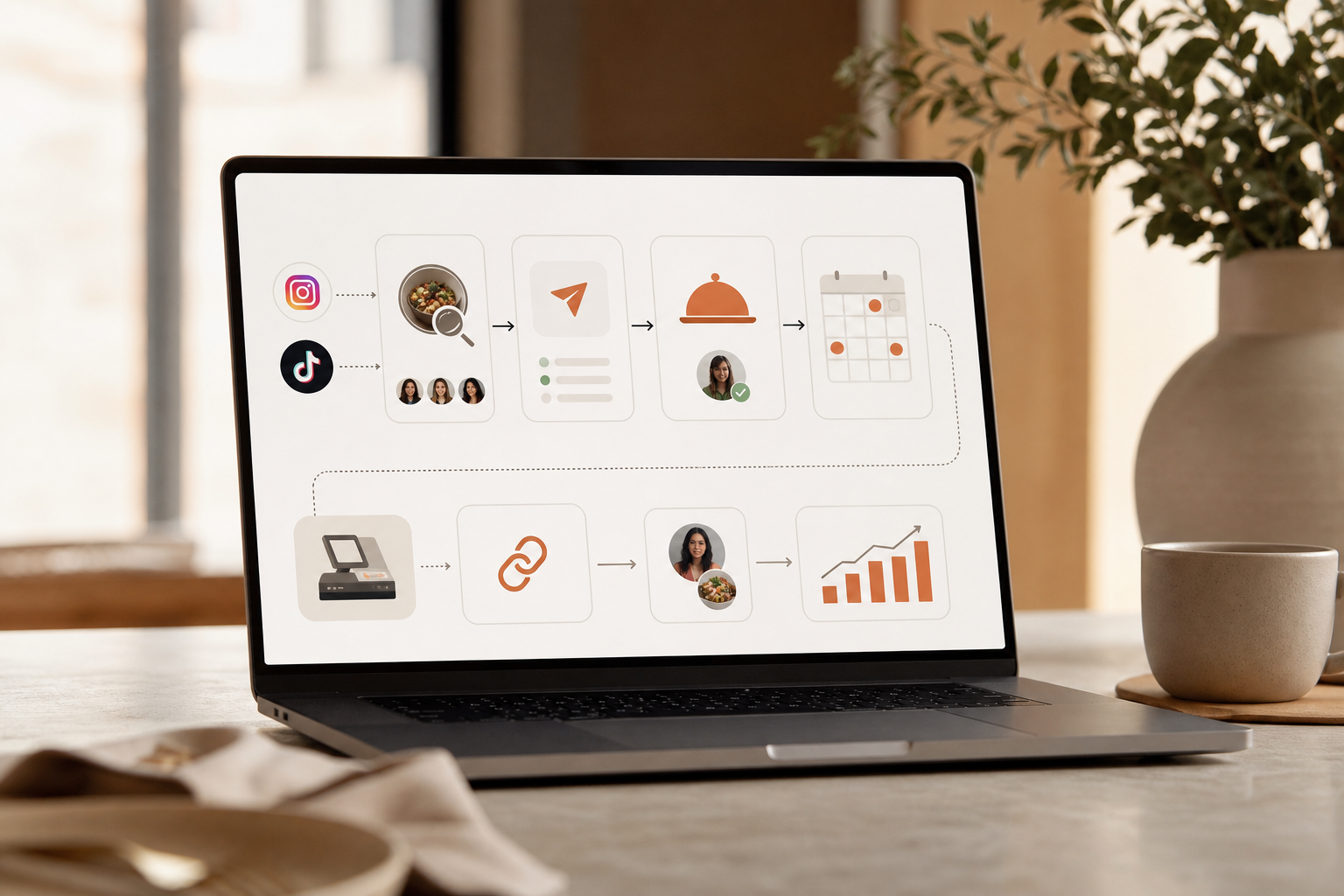
Moreover, ask to see a live workflow: creator found → invite sent → brief accepted → draft approved → post published → UTMs logged → reservations tagged. If a demo can’t show that clean chain in 10 minutes, keep looking. Finally, make sure your team can run it without daily training. Time is your scarcest ingredient.
What to Do This Week to Get Started
You don’t need a quarter to launch. You need five short, focused days.
Day 1: List every creator you’ve worked with
Export DMs and emails. Log handle, city, last visit, deliverables, reach, and any codes used. Note who was easy to work with and who felt on-brand.Day 2: Categorize by content type and audience
Tag each as reels-first, photo, or long-form. Add audience clues (local, travel, college, families). This will power segments later.Day 3: Sign up for one free trial CRM
Pick one tool to test. Since signing up is completely free, there’s no risk to try. Most users are Live within 24 hours, so you’ll hit Day 5 with invites out.Day 4: Import contacts and tag them
Create segments by niche and city. Build one “Seasonal Push” campaign with a ready-made template for quick campaign launches. Add UTMs for each creator and a “creator” custom field in your reservation or POS notes.Day 5: Send your first templated outreach
Use your “invite” template. Offer a comped tasting with clear deliverables and dates. Set a 48-hour approval SLA and track replies in the CRM.
For reporting tips to share with creators you host, link them to this clear walkthrough: How to Track Influencer Campaign Analytics as a Creator. It keeps everyone on the same page about what to send back.
Throughout this week, keep your goal tight: five quality invites, not fifty. Your influencer crm and creator database will grow, and you’ll learn faster with small, measured steps.
Key Takeaways
- Pick an influencer crm and creator database that ties posts to reservations, not just likes.
- Build segments by cuisine and city, then rank creators by cost-per-guest.
- Use clear briefs, fast approvals, and contracts that lock in content usage rights.
- Track with UTMs and a “creator” tag in reservations or your POS for clean attribution.
- Start small this week: import contacts, tag them, and send five on-brand invites.
Ready to run your first clean, trackable creator push? Keep it simple, time-box your setup, and let your data guide the next round. **Start your free setup →